Pair once
Approved devices remember each other.
MACOS · WINDOWS PREVIEW · ANDROID
Share text and images between your Android phone and the Macs and Windows PCs you use at home, at work, and for play.
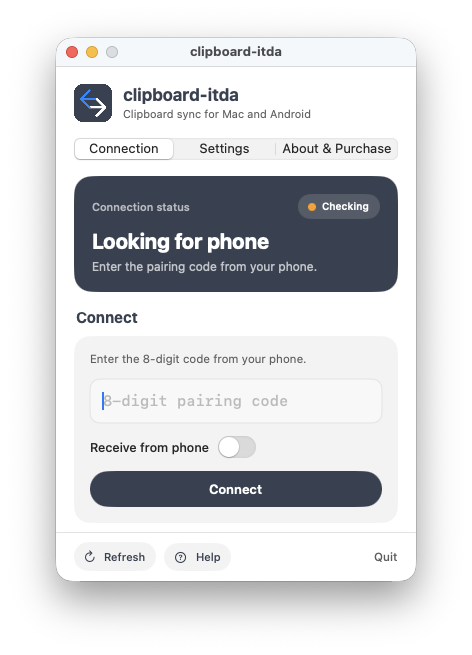
 clipboard-itda
PREVIEW
clipboard-itda
PREVIEW
Automatic copying ready over Wi-Fi
Windows Preview · Connected over Wi-Fi
Sharing today's meeting link and design image.
Approved devices remember each other.
Connect over Wi-Fi, hotspot, or Bluetooth.
Connect up to three computers with Pro.
HOWEVER YOU CONNECT
No internet account or cloud relay required. Connect directly in the way that fits where your devices meet.
Move text and images quickly on the same network.
Keep going over a personal hotspot when home or office Wi-Fi is unavailable.
Choose Bluetooth directly when Wi-Fi is unavailable and your devices are nearby.
ONE PHONE · YOUR COMPUTERS
Connect one Android phone to the Macs and Windows PCs you use. Share once from Android and send to your approved computers together.
Android phonePRO · Up to 3TEXT + IMAGE
From links and notes to screenshots and images. Keep working without breaking your flow.
Links, code, addresses, and long notes
Screenshots and PNG images
Between devices you approved
PRIVATE BY DESIGN
Your clipboard content is encrypted and sent directly between approved devices, without being uploaded to cloud storage.
PLATFORMS
Developer ID notarized
Preparing for release
Preview · x64 & ARM64
Bluetooth availability varies by platform and version. Wi-Fi or personal hotspot is recommended for Windows Preview.
Ask about clipboard-itda release news and preview access.
Ask about release news